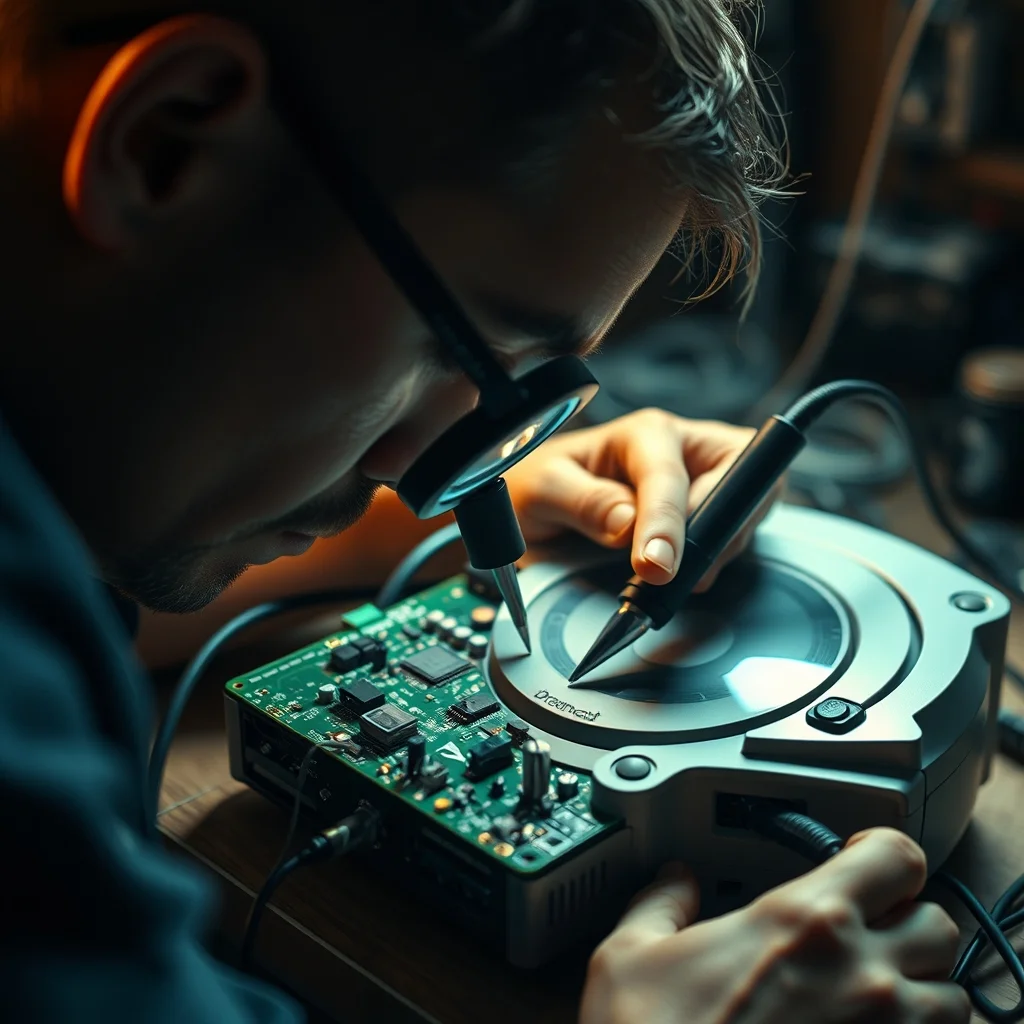
Sega Saturn: motherboard revisions and the dual-battery situation
The Saturn had a long production run with multiple motherboard revisions, labeled VA0 through approximately VA15 depending on region. The practical differences for buyers: early VA0 boards support a cartridge port modification that later revisions removed, and different revisions use different CD drive mechanisms with different failure profiles. The revision is typically printed on the motherboard and visible through the cartridge slot if the top is removed — though sellers rarely photograph this.
The two batteries and why both matter
The Saturn has two separate battery systems, and they are commonly confused in listings. The backup RAM battery (typically a CR2032 coin cell inside the machine) saves game saves and system settings. A dead backup battery is annoying but harmless — you lose saves if the console loses power. The RTC (real-time clock) battery keeps the internal clock running. A dead RTC battery causes the Saturn to display a date/time entry screen on startup, which must be dismissed each session.
Neither battery failure causes disc read problems or other functional issues. A listing that says "needs a new battery" is describing a $1–3 repair. Do not let battery references discourage you from an otherwise good unit.
Disc drive condition
The CD drive mechanism varies by revision, but all Saturn drives use aging laser assemblies that degrade with time and use. A Saturn that boots but has difficulty reading specific discs — particularly dual-layer or pressed GD-format discs — likely has a weakening laser. Some drives respond to laser potentiometer adjustment; others need replacement. Ask sellers to test with multiple discs and confirm disc reads complete without errors.
Dreamcast: GD-ROM health and the GDEMU
The Dreamcast's GD-ROM drive (GigaDrive ROM, a Sega-specific high-density optical format) is the single most common failure point in the console. The drive reads both standard CD-ROMs and the higher-density GD-ROMs. A failing drive typically degrades in this order: GD-ROMs become unreliable first, then CD-ROMs. A unit that boots from a CD-ROM but fails on GD-ROMs has a partially degraded laser — common in units presented as "working."
GDEMU and other optical drive emulators
The GDEMU is a widely-used ODE (optical drive emulator) that replaces the GD-ROM drive entirely with an SD card reader. Units fitted with a GDEMU play all GD-ROM content from SD card with no laser degradation risk. A Dreamcast with a genuine GDEMU installation typically sells at a significant premium over a stock unit — verify it's a genuine GDEMU versus a clone, as clone ODEs have inconsistent compatibility.
The Dreamcast's region is either Japan (NTSC-J), North America (NTSC-U), or Europe (PAL). Region can be confirmed by the system software language and the underside label. Region-free BIOS mods exist and some listings will advertise them; they have no downside for a collector wanting to play imports.
PlayStation 1: SCPH model numbers and modchip identification
The PS1's SCPH model number is printed on the bottom label and tells you most of what you need to know. Key revisions:
| Model | Region | Notable characteristic |
|---|---|---|
| SCPH-1000 | Japan | Composite + mono audio only; no stereo RCA |
| SCPH-1001/1002 | NA/EU | Added stereo RCA output. Most common early unit |
| SCPH-5000–5502 | All regions | Revised disc drive with improved reliability vs early units |
| SCPH-7000–7502 | All regions | Removed parallel I/O port. No expansion device support |
| SCPH-9000–9002 | All regions | Last revision. Smallest board. Removed serial port |
Modchip identification
PS1 modchips allow the console to play CD-Rs and import discs. Their presence is visible without opening the unit in most cases: the disc lid area may show a small wire exiting through the case seam, or the seller may describe it. Opening the unit reveals the modchip soldered to the CD controller board — early modchips (PIC-based, like the MM3 or Stealth) are small 8-pin chips; later chips are larger and include reset and audio protection features.
A modchipped PS1 commands a premium from collectors who want import capability. For a collector wanting an original unmodified unit, a modchip is neither a defect nor a strong value add — it depends entirely on use case. Critically, a poorly installed modchip can cause disc read errors on commercial discs — ask whether the unit plays original pressed games without issue.
Nintendo 64: RGB mods and what they're worth
The N64 outputs a notably blurry composite video signal by default. The console's internal RGB signal is available at the Multi-AV output but is not enabled by default — the encoder chip (MAV-NUS or similar) suppresses it without a mod. The two established RGB mod approaches:
Tim Worthington (TW) RGB mod
The Tim Worthington mod is a small PCB that attaches internally and routes the native RGB signal to the Multi-AV connector, enabling output through a SCART or component transcoder. It's the most widely installed N64 RGB mod and is broadly compatible with all N64 motherboard revisions. Installation requires soldering to the encoder chip and power supply points. A properly installed TW mod produces clean, sharp RGB output.
Borti4938 flex cable mod
An alternative approach using a flex cable that routes directly from the RCP (Reality Co-Processor) chip rather than tapping the encoder outputs. It produces slightly cleaner signal in some configurations. Less common in used market listings, but present.
What to ask when buying an RGB-modded N64: which mod is installed, and does the seller have an HDMI capture or TV photo showing a clean image? An RGB mod with a wiring error produces image artifacts. A working mod with clean image output justifies the premium; an untested or "installed but not fully tested" mod does not.
Sega Genesis: Model 1 vs Model 2 audio
The Genesis (Mega Drive in Europe and Japan) Model 1 (1989–1993) uses the Yamaha YM2612 FM synthesis chip as a discrete IC. Model 2 (1993 onward) integrated the FM audio into a cost-reduced custom chip that sounds audibly different on some tracks — notably a slightly different filter response that affects treble character. Neither sounds "wrong," but the difference is real and audible on a good audio system.
The Model 1 with a headphone jack (on the front of early units) provides the cleanest audio path for headphones. The headphone output on the Model 1 is line-level and usable directly. Later Model 1 revisions removed the headphone jack; the Model 2 removed it entirely. For audio-focused collectors, "Model 1 with headphone jack" is a specific and meaningful request to make of a seller.
Region: the Genesis (NA), Mega Drive (JP/EU), and their local variants are largely hardware-identical aside from region lockout pins and 50Hz/60Hz settings. Switchless region mods remove this lockout and add 50/60Hz switching — a common and reversible modification that adds significant practical value for collectors playing Japanese software.
What to ask before buying any retro console
- Does it boot to the main menu on every attempt, or occasionally?
- Have you tested it with multiple discs/cartridges, including ones you know work?
- What output type does it currently use — composite, RGB, HDMI mod?
- Has any modification been made to the console? (Shell swap, mod chip, ODE, RGB mod, recaps)
- Is the original power supply included, or is a third-party supply substituted?
- For disc-based consoles: when was the disc drive last tested with original pressed media?
Search eBay for retro consoles
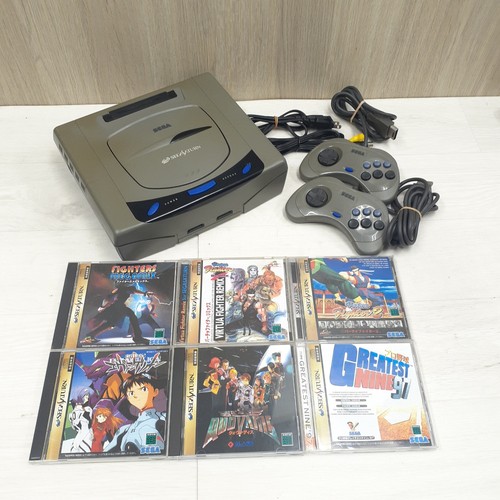 Sega Saturn
Ask about RTC battery and request a GD-ROM disc read test before buying.
Sega Saturn
Ask about RTC battery and request a GD-ROM disc read test before buying.
 Dreamcast
GDEMU-equipped units pay a premium but eliminate drive failure risk entirely.
Dreamcast
GDEMU-equipped units pay a premium but eliminate drive failure risk entirely.
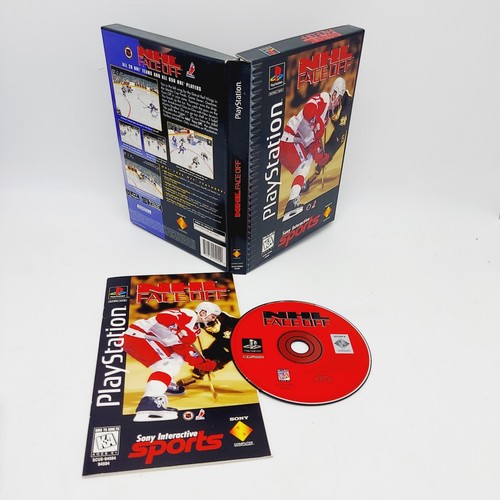 PlayStation 1
SCPH model on bottom label. SCPH-5000-series typically best balance of features and reliability.
PlayStation 1
SCPH model on bottom label. SCPH-5000-series typically best balance of features and reliability.
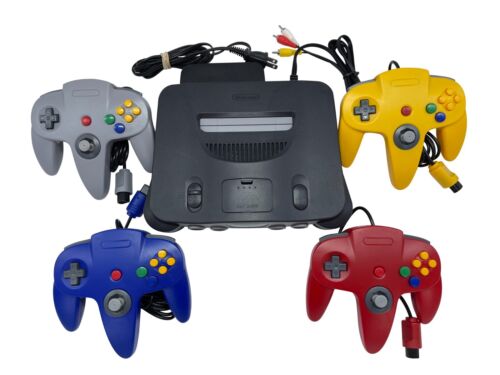 Nintendo 64
RGB-modded units command significant premiums — verify mod quality with a captured image.
Nintendo 64
RGB-modded units command significant premiums — verify mod quality with a captured image.
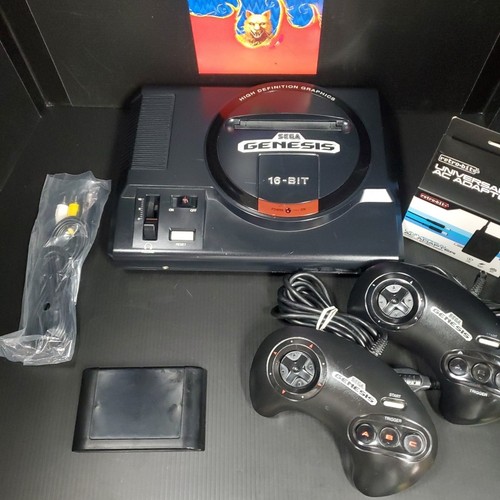 Sega Genesis Model 1
With headphone jack for best audio path. Confirm it's a genuine Model 1, not a renamed Model 2.
Sega Genesis Model 1
With headphone jack for best audio path. Confirm it's a genuine Model 1, not a renamed Model 2.