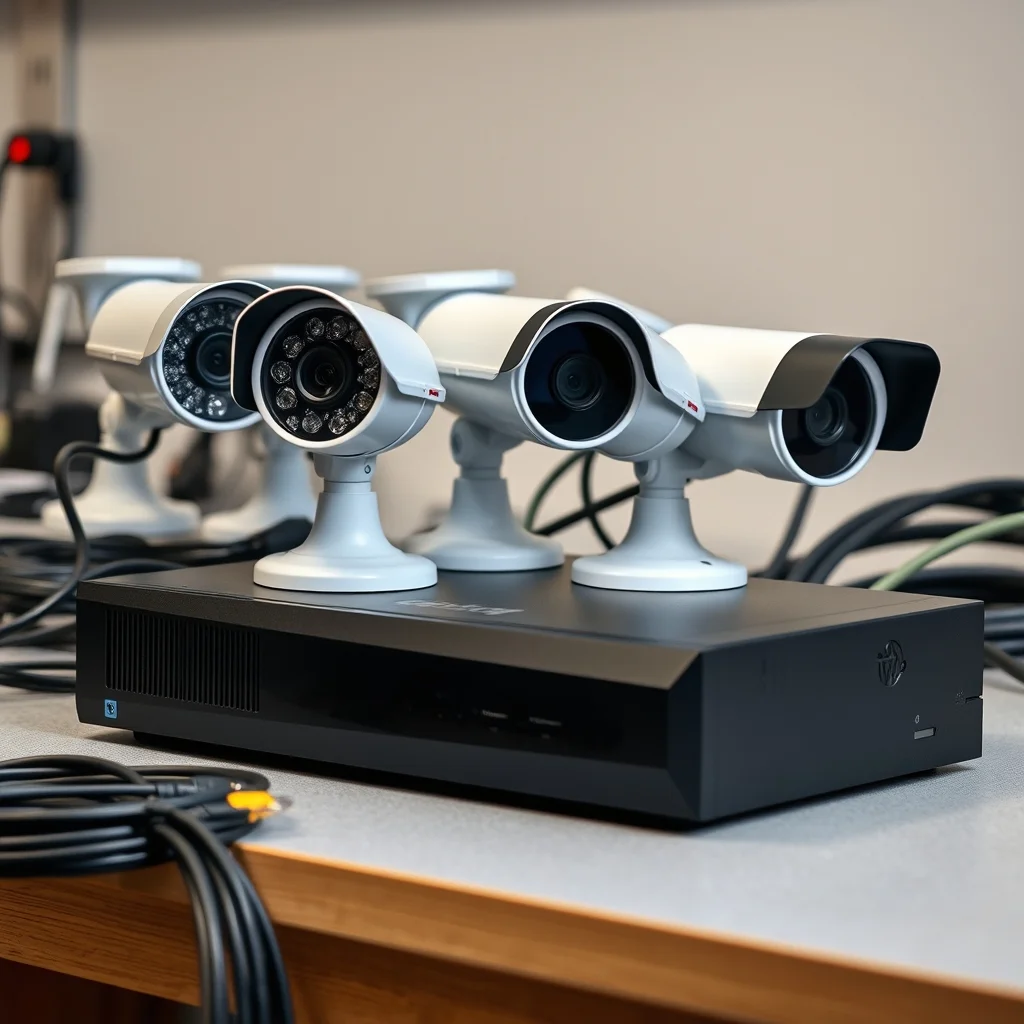
Wired (PoE) vs wireless: the reliability gap is real
The most important decision in a home security camera system is whether cameras get power and data over a wire or over WiFi. This is not a preference question — wired cameras are fundamentally more reliable, and the gap matters specifically in the scenarios where cameras need to work.
Power over Ethernet (PoE) cameras run a single Cat5e or Cat6 cable from each camera to a PoE switch or NVR. That cable carries both data (up to 1 Gbps) and power (typically 15.4W on 802.3af or 30W on 802.3at). No battery to die. No WiFi signal to drop. No radio interference from neighbors' networks. A well-installed PoE system typically runs for years without attention.
Wireless cameras trade that reliability for installation convenience. If you cannot run cable — renting a property, adding a camera to a detached garage 200 feet from the house, or covering a location where trenching isn't viable — wireless makes sense. But if you can run cable, wireless introduces failure modes you don't have with PoE: WiFi dead zones, battery depletion overnight when you're away, and interference that can cause dropped frames during a recording event.
The WiFi bandwidth problem
A 4K camera at 20 fps generates roughly 8–12 Mbps of compressed video. Put four of those on your home WiFi network simultaneously and you're consuming 32–48 Mbps of bandwidth just for cameras — on a radio that also serves your phones, laptops, and smart TV. PoE cameras move that traffic to a dedicated wired network separate from your general WiFi, eliminating the contention entirely.
| Factor | PoE (Wired) | Wireless (WiFi/Battery) |
|---|---|---|
| Reliability | High — no radio, no battery | Variable — depends on WiFi quality |
| Installation effort | High — cable runs required | Low — mount and connect |
| Ongoing maintenance | Minimal | Battery recharge/replace cycles |
| Video quality ceiling | 4K+ at full frame rate | Bandwidth-limited at scale |
| Best use case | Permanent home install | Renters, remote locations, gaps |
Resolution: what 1080p, 2K, and 4K actually buy you
Resolution spec sheets are misleading because what matters is not pixel count — it's whether you can identify a face or read a license plate at the actual distance your camera covers.
A 1080p (2MP) camera covering a 20-foot entry path gives you roughly 50 pixels per foot of width at the far end of the frame. That's adequate for recognizing that someone is present and roughly their height and build. It's marginal for face recognition, and poor for license plates at an angle.
A 4K (8MP) camera covering the same scene gives you four times the pixel density — around 100 pixels per foot. At that density, face recognition becomes reliable at 20–25 feet, and license plates become readable from a camera mounted at a reasonable angle. The practical difference is substantial for evidence quality.
Night vision: IR vs color
Almost all outdoor cameras include infrared (IR) night vision as a baseline. IR illuminators are invisible to the naked eye and produce monochrome footage in the 850nm or 940nm spectrum. The 850nm LEDs produce slightly better range; 940nm LEDs are truly covert (no visible red glow) at the cost of about 20% of range.
Color night vision cameras add visible white-light LEDs that activate in low-light conditions. Color footage is more useful for identifying clothing and vehicle colors, but the white-light flash alerts subjects that they're being recorded. Some cameras offer a "smart" mode that switches to white-light only when a person is detected — that's a reasonable compromise. Pure color night vision cameras using starlight sensors (without LEDs) exist but typically require more ambient light than a dark suburban exterior provides.
Advertised night vision range ("up to 100 feet") is typically measured at the edge of visibility, not at usable identification distance. Budget for roughly half the advertised range as a realistic working distance for face recognition.
Storage: local NVR vs cloud subscription
Where your footage lives is a decision with significant long-term cost implications. Local storage via a Network Video Recorder (NVR) or Digital Video Recorder (DVR) keeps footage on a hard drive at your home. Cloud storage streams footage to a vendor's servers and charges a monthly fee for access and retention.
Cloud storage is convenient: footage is accessible from anywhere, is off-site (survives a smashed camera), and requires no upfront hardware beyond the cameras. The cost, however, adds up. Typical cloud plans run $5–$30/month per camera or $10–$50/month for a multi-camera plan, depending on retention period (7 days vs 30 days) and resolution. Over five years, a four-camera cloud system at $30/month costs $1,800 in subscription fees.
A local NVR with a 2TB hard drive stores roughly 20–30 days of continuous 1080p footage from four cameras, or 7–10 days at 4K — and the hardware cost is a one-time purchase in the $150–$400 range. Motion-triggered recording extends retention significantly since most of a day's recording is empty.
Shopping for security cameras? Browse current eBay listings → (we earn a small commission; your price is unchanged).
Field of view: wider is not always better
Field of view (FoV) is typically measured in degrees diagonally. A 90° FoV camera covers a moderately wide scene; 130°+ is considered wide-angle. The tradeoff is angular resolution: a 4K camera with a 130° FoV has the same total pixels distributed across a wider scene, meaning each individual pixel covers more space — which reduces detail at any given distance compared to the same camera with a 90° FoV.
For a front door covering a 10-foot entry path: a 90–110° FoV is usually appropriate. For a driveway or parking area: 110–130° gives better coverage of the wider space. For a narrow corridor: 70–80° keeps more resolution on the specific area of interest.
Some cameras offer varifocal lenses (adjustable zoom) or motorized optical zoom. These are useful if you need to cover a specific distance — a camera watching a gate 60 feet away benefits more from a narrower, zoomed lens than from a wide-angle fisheye pointed at everything.
IP ratings and weatherproofing
For outdoor cameras, the IP (Ingress Protection) rating tells you the camera's resistance to dust and water. The two-digit number after "IP" gives dust resistance (first digit, 0–6) and water resistance (second digit, 0–9K).
- IP65: Dust-tight, protected against low-pressure water jets from any direction. Adequate for most covered outdoor locations.
- IP66: Dust-tight, protected against high-pressure water jets. Better for exposed locations in heavy rain climates.
- IP67/IP68: Dust-tight plus submersion resistance. Typically overkill for standard outdoor installs unless the camera is at ground level in a flood-prone area.
Operating temperature range matters more than many buyers realize. A camera rated for −10°C to 50°C (14°F to 122°F) will be stressed in climates with harsh winters. Check the low-end temperature rating against your actual winter lows, particularly for battery-powered cameras where cold significantly reduces battery capacity.
Ecosystem and app considerations
Most security camera systems tie you to a proprietary app and, often, a cloud account even if you're using local storage. The practical question is: what happens if the vendor shuts down or discontinues the product line? Products that support ONVIF (Open Network Video Interface Forum) protocol work with third-party NVRs and software like Blue Iris or Frigate, giving you exit flexibility. Check ONVIF support before buying a system you plan to run long-term.
For integration with smart home ecosystems (Google Home, Amazon Alexa, Apple HomeKit), verify the specific integration before purchasing — "works with Alexa" often means voice control of a few functions, not full video stream access. HomeKit Secure Video cameras push encrypted video into iCloud if you want truly integrated Apple ecosystem recording, but require an Apple TV, HomePod, or iPad as a hub.
Common buying mistakes to avoid
- Buying wireless cameras for a permanent install where cabling is feasible. The extra installation effort pays back in years of lower maintenance.
- Maxing out resolution without checking NVR compatibility. A 4K camera connected to a 1080p-max NVR will record at 1080p. Verify your recorder's maximum resolution per channel.
- Ignoring storage costs. Model your 5-year cost with cloud storage before comparing it to a local NVR system at face value.
- Choosing wide-angle FoV for all cameras. Match FoV to the specific geometry of what you're watching; a wider lens isn't better if it dilutes your pixel density on the target area.
- Overlooking operating temperature range. Check your climate's extremes against the camera spec, particularly battery cameras in cold climates.
Search eBay for security cameras
 Security Camera System
Complete NVR kits with multiple cameras. Verify channel count and HDD bay count.
Security Camera System
Complete NVR kits with multiple cameras. Verify channel count and HDD bay count.
 PoE Security Camera
Single cable for power and data. Most reliable option for permanent installs.
PoE Security Camera
Single cable for power and data. Most reliable option for permanent installs.
 Outdoor 4K Camera
8MP resolution for wide coverage areas. Confirm NVR supports 4K playback.
Outdoor 4K Camera
8MP resolution for wide coverage areas. Confirm NVR supports 4K playback.
 Security Camera NVR
Local storage, no monthly fees. Check supported channels and resolution ceiling.
Security Camera NVR
Local storage, no monthly fees. Check supported channels and resolution ceiling.
 Wireless Security Camera
Battery or plug-in WiFi cameras for locations where running cable isn't viable.
Wireless Security Camera
Battery or plug-in WiFi cameras for locations where running cable isn't viable.