The retro video game signal chain is one of those topics where a lot of confident information circulates that doesn't account for the specific setup. "RGB is always better" is technically true in terms of signal purity but doesn't tell you whether the improvement is visible on your display at your viewing distance with your specific console. The honest answer depends on four things: which console you have, what signal it natively outputs, which display you're using, and how you're processing the signal.
This guide works through the signal hierarchy from worst to best, what each step actually gains you, which consoles justify modding, and when CRT behavior makes the whole question moot.
The signal hierarchy: what each format separates
Analog video signals carry three types of information: luminance (brightness), chrominance (color), and sync (timing reference for the display). The signal formats differ in how well they keep these three things separate from each other.
Composite
Composite combines all three on a single wire. Luminance and chrominance are mixed together using a subcarrier frequency — the display has to separate them back out. The separation is never perfect. The visible result is dot crawl (a shimmering artifact at color edges), cross-color (false color fringing on fine patterns like checkerboards and herringbone), and a general soft, slightly buzzy look to fine details. This is what the yellow RCA cable on the back of your NES or Genesis delivers.
Composite on a CRT is the format the console manufacturers optimized for. The signal degradation from dot crawl and cross-color is much less visible on a CRT's phosphor-based display than on a sharp LCD because the CRT's own phosphor bloom naturally smooths over it. On an LCD, composite looks noticeably softer and more artifact-prone because the LCD's precise pixel grid makes the imperfect separation visible.
S-Video
S-Video separates luminance from chrominance into two channels, eliminating the subcarrier mixing step. Dot crawl disappears. Cross-color disappears. Fine detail is noticeably sharper. The color accuracy improves because the chroma signal is no longer being blended with the luma signal and then re-extracted.
Many consoles that people assume only output composite actually output S-Video through the same multi-out port — you just need the right cable. The SNES, N64, NES (with RGB mod or after-market encoder), and PlayStation 1 all output S-Video through standard multi-out cables. This is the most underrated upgrade for collectors: a $6–12 S-Video cable for a console you already own, outputting to a CRT with an S-Video input, is a bigger improvement over composite than most people expect.
RGB
RGB separates all three channels: red, green, and blue each travel on their own wire, with a separate sync signal. There is no encoding and decoding of color at all — each gun in a CRT or each color subpixel in an LCD gets its own pure signal. The result is the sharpest, most accurate color representation the console is capable of outputting.
In Europe, RGB was the standard consumer signal format via SCART connections. Many European CRT televisions have SCART inputs that accept RGB. In North America, consumer SCART was never adopted, so RGB requires either a SCART adapter on a European CRT, a component video transcoder, or a line doubler/scaler like the OSSC or RetroTINK.
Not all consoles output RGB natively. The SNES and Super Famicom output RGB through the multi-out. The PlayStation outputs RGB through its AV multi-out. The Sega Genesis outputs RGB via its SCART-capable DIN connector. The N64 does not output RGB natively without a mod (an encoder chip upgrade, typically an N64 RGB amp board). The NES does not output RGB natively — it requires a mod that replaces or bypasses the internal PPU color encoder.
What each console actually benefits from
| Console | Best native output | RGB mod needed? | Improvement tier |
|---|---|---|---|
| SNES / Super Famicom | RGB via SCART | No — native RGB | High: massive over composite |
| Genesis / Mega Drive | RGB via SCART | No — native RGB | High: composite is terrible on Genesis |
| PlayStation 1 | RGB via SCART | No — native RGB | Moderate: already good on S-Video |
| N64 | S-Video is stock best | Yes — amp board | Moderate: S-Video acceptable, RGB cleaner |
| NES / Famicom | Composite stock | Yes — PPU bypass | Dramatic if modded: the difference is large |
| Sega Saturn | RGB via SCART | No — native RGB | High on flat panel, less on CRT |
| Game Boy Player (GameCube) | RGB via SCART / component | No — native RGB | Moderate: GB games benefit from sharp signal |
The Sega Genesis deserves special mention: its composite output is among the worst of any 16-bit console. The Genesis has particularly bad dot crawl on its composite signal due to a quirk in its video encoder. On a CRT via composite, Genesis looks soft and noisy. On S-Video, it's noticeably better. On RGB, it's clean and sharp in a way that changes how the games look. If you have a Genesis and a CRT with SCART, the stock RGB SCART cable is one of the highest-value single purchases in retro gaming.
CRT vs flat panel: when the display changes the equation
CRTs and flat panels process analog video signals in fundamentally different ways, which changes when signal upgrades actually matter.
On a CRT
A CRT displays analog signals directly — the electron beam draws the image, phosphors glow. There is no upscaling, no pixel grid, no frame buffer. The display is continuous, not discrete. This means:
- Composite's artifacts are partially masked by phosphor bloom and the smooth nature of the analog signal
- The native 240p output of most retro consoles maps exactly to a CRT scan — no scaling needed
- S-Video on a CRT is a genuine and visible improvement over composite, especially on the Genesis and NES
- RGB on a CRT (via SCART on a compatible set) is the best the signal can look — clean, sharp phosphor rendering with full color accuracy
On a CRT, the step from composite to S-Video is often larger than the step from S-Video to RGB. The artifact removal from S-Video is immediately visible. The additional sharpness of RGB over S-Video is real but subtler, especially on smaller screens (13–20 inch consumer sets).
On a flat panel
Flat panels — LCD, OLED — have a fixed pixel grid and process everything digitally. A 1080p TV receiving a 240p composite signal has to scale that signal up by a factor of 4.5×. The scaling algorithm and the analog-to-digital conversion quality vary enormously by TV model. The result is often blurry, laggy, and artifact-ridden — not because the console is bad, but because consumer flat panels were never designed to handle 240p analog signals gracefully.
On a flat panel:
- Composite looks substantially worse than on a CRT because the pixel grid makes artifacts sharp and visible
- S-Video is better but the ADC in the TV's analog input stage is often still poor quality
- RGB + a dedicated line doubler or scaler changes the problem entirely: the scaler converts to 480p or 720p with a proper algorithm, and the flat panel receives a clean digital-ready signal
The OSSC (Open Source Scan Converter) and RetroTINK line of scalers are the two main options here. The RetroTINK 2X-Mini takes composite or S-Video and line doubles to 480p over HDMI with minimal lag. The RetroTINK 4K handles RGB via SCART at multiple output resolutions with adjustable filters. The OSSC handles RGB SCART and component video.
The flat-panel verdict: On a flat panel, the signal upgrade matters most at the scaler stage, not the console stage. A RetroTINK 2X-Mini on composite looks better than bare composite on HDMI. A RetroTINK processing RGB from a SCART-modded Genesis looks excellent. The console's output quality determines the ceiling; the scaler determines whether you reach it.
Which RGB mods are actually worth doing
Given the display-dependent nature of the improvement, some mods pay off reliably and some are marginal.
Worth doing in most setups
Genesis RGB SCART cable (no mod required). The Genesis natively outputs RGB. The only thing you need is a Genesis SCART cable (be careful: pinout varies by regional Genesis model; confirm for your specific unit before buying). On a SCART-input CRT or via an OSSC/RetroTINK, this is the biggest single image quality improvement in retro gaming, pound for pound.
N64 RGB amp mod. The N64 outputs a weak, noisy analog RGB signal that isn't usable without amplification. Boards like the N64RGB Tim Worthington board add the amplifier and deblur filter that the stock console needs. On a CRT or via OSSC, the output is clean and sharp. The mod requires a board install inside the console — about 45 minutes of work for someone comfortable with soldering.
NES NESRGB mod. The NES was never designed to output RGB. The NESRGB board bypasses the original PPU's composite encoder and generates a proper RGB signal. The color palette is also improved — the NESRGB uses a more accurate palette than the NES's original hardware, which had some notoriously wrong colors. On any display, this is a dramatic change.
Lower priority
SNES RGB improvement mods. The SNES already outputs native RGB. If you have a SCART cable, you have the best signal the console natively produces. The primary mods people do to SNES are 1-chip vs 3-chip variants (the 1-chip SNES has slightly better composite output but the difference at RGB is minimal) and bypass caps on the video encoder. For most people on a scaler, the stock RGB output is already excellent.
RGB mod on consoles you're running on composite anyway. If your display chain ends in an RF modulator or a composite input with a poor ADC, RGB modding your console won't help. Fix the display chain first — get a CRT with S-Video or SCART, or get a dedicated scaler — before investing in a console mod.
The honest practical path
If you're starting from stock and want to improve image quality without immediately spending on mods:
- Check whether your console has a better-than-composite output you're not using. SNES and Genesis both output RGB on the multi-out/SCART. PS1 outputs RGB. Buy the right cable first.
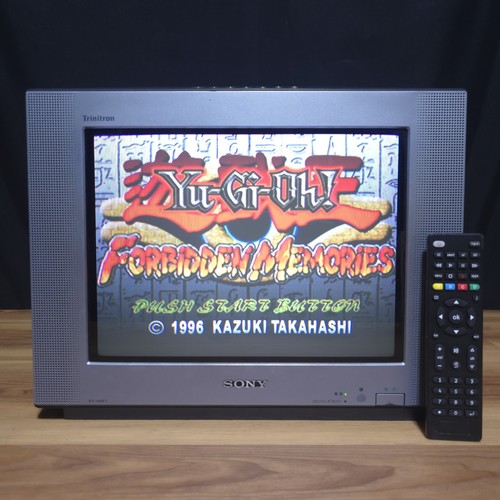
- If you're on a CRT, find one with S-Video or SCART inputs. Trinitron sets are the most sought-after for RGB, but many consumer Wega and Panasonic sets of the late 1990s have excellent SCART stages too.
- If you're on a flat panel, a RetroTINK 2X-Pro or 4K is a more impactful investment than any console mod. It fixes the scaling problem, which is the dominant image quality issue on flat panels.
- Once the display chain is sorted, then consider console mods — N64 RGB amp and NESRGB are the highest-value mods. Everything else is diminishing returns.
The goal is a working end-to-end chain. A modded console feeding a poor scaler or a TV with bad analog inputs will look worse than an unmodded console on a good CRT with S-Video. The chain matters more than any single component.