First 3D printer: the honest 2026 sub-$400 list
Bambu A1 Mini vs Creality K1 vs Prusa Mini. The honest comparison on out-of-box quality, slicer software, and failure recovery.
3D printing in 2026 looks dramatically different than 2022. The hobby moved from "you must calibrate everything by hand" to "you press print and it works." That shift was driven primarily by Bambu Lab, which forced every other manufacturer to step up. Today's sub-$400 printers are genuinely beginner-friendly in a way that wasn't true 3 years ago.
Here's the honest tier.
The shortlist
Bambu Lab A1 Mini ($299)
The best entry-level printer made. Tool-changing single-extruder design, auto-bed-leveling that actually works, vibration compensation built in. Out of box to first successful print: 30 minutes.
The downside: smaller build volume (180x180x180mm) than the competition. If you'll print models larger than a softball, look elsewhere.
The other downside: Bambu's cloud-tied ecosystem. Slicer (Bambu Studio), filament profiles, print monitoring all default to Bambu's cloud. Privacy advocates dislike this. Most beginners don't notice.
Bambu Lab A1 ($399)
Larger version of the Mini. 256x256x256mm build volume. Same auto-leveling and vibration compensation. The right answer for most first-time buyers.
The A1 had a recall issue with heater cables in early 2024 that Bambu handled well (free replacement and AMS unit). Current units are fine.
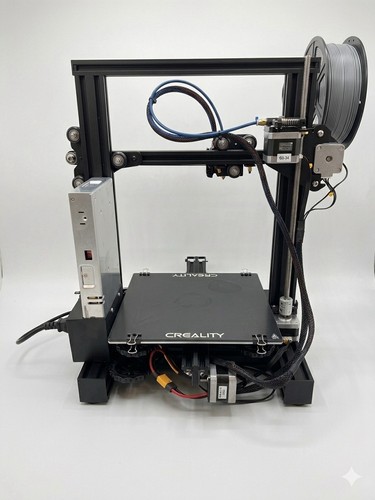
Creality K1 ($429-499)
The Bambu competitor. Faster print speeds (advertised, real-world it's similar), better customization for tinkerers, less polished out-of-box experience. Open source slicer support.
For someone who'll modify and tune their printer, the K1 is the better long-term platform. For someone who just wants to print things, the Bambu wins.
Prusa Mini+ ($459)
The honest hobbyist printer from the Prusa brand that defined home 3D printing. Slower than Bambu/Creality, smaller build volume, but supported by Prusa's excellent slicer (PrusaSlicer) and lifetime parts availability.
The honest argument for Prusa in 2024: ecosystem maturity. PrusaSlicer profiles for thousands of materials. PrusaPrinters community for free models. Prusa's tech support is the best in the industry.
The honest argument against: at $459, the same money buys a Bambu A1 with twice the modern features.
The decision tree
| You want... | Buy this |
|---|---|
| Easiest possible "press print and it works" | Bambu A1 Mini ($299) |
| Best mainstream printer, mid-budget | Bambu A1 ($399) |
| Tinkerer who wants to modify and learn | Creality K1 ($429) |
| Open-source ecosystem, best support | Prusa Mini+ ($459) |
| Larger prints occasionally | Bambu P1S ($699) |
What changed in the last 2 years
- Auto-bed-leveling actually works. 2022 printers had ABL that needed manual calibration. 2024 printers level reliably across thousands of prints.
- Input shaping (vibration compensation) is standard. This is what enables 300-400mm/s print speeds without quality loss. The Bambu and Creality models above have it built in.
- Direct-drive extruders dominate. Old Bowden setups are mostly gone in this price range. Direct drive prints flexibles (TPU) without modification.
- Multi-material is reachable. Bambu's AMS lite ($249 add-on) gives 4-color printing. Color-mixed prints used to require $2,000+ machines.
What you don't need yet
- Enclosed printers. Required for ABS and some engineering materials. Not needed for PLA and PETG (90% of beginner printing).
- $2,000+ "prosumer" printers. They exist (Bambu X1 Carbon, Voron 2.4) and they're great. The sub-$500 tier has caught up enough that the upgrade reason is volume of printing, not quality.
- Resin printers. Different category. Higher detail, harder to use, hazardous chemicals, smelly. Wait until you have a clear use case (figures, dental models, jewelry).
The total starter cost
| Item | Cost |
|---|---|
| Printer (Bambu A1) | $399 |
| Filament (4 rolls PLA in different colors) | $80 |
| Replacement nozzles (0.4mm x 3) | $25 |
| Print removal tool, side cutters | $20 |
| Total to be printing | $524 |
Filament — start simple
PLA is the universal beginner material. Easy to print, no smell, biodegradable, available in 100+ colors. Buy from Polymaker, Sunlu, or Bambu's own branded PLA. Avoid the $15/kg Amazon brand-mystery rolls — diameter variance causes print failures.
Once you're comfortable with PLA, the next material is PETG (slightly more functional, dishwasher-safe). Wait on ABS until you have an enclosed printer.
The first 10 prints
The temptation is to print the Benchy (the standard test print) and then try ambitious models. The honest progression:
- Benchy. Standard test print. 30-50 minutes. Tests overhangs, bridging, dimensional accuracy.
- Calibration cube. Verifies X/Y dimensions are correct.
- Cable organizer or phone stand. First "useful" print. Builds confidence.
- Storage container with lid. Tests tolerance and fit.
- Tool holder. Functional, dimensional, immediately useful.
By print 10, you'll know what works and where the limits are. Then you can plan the actual projects you want.